

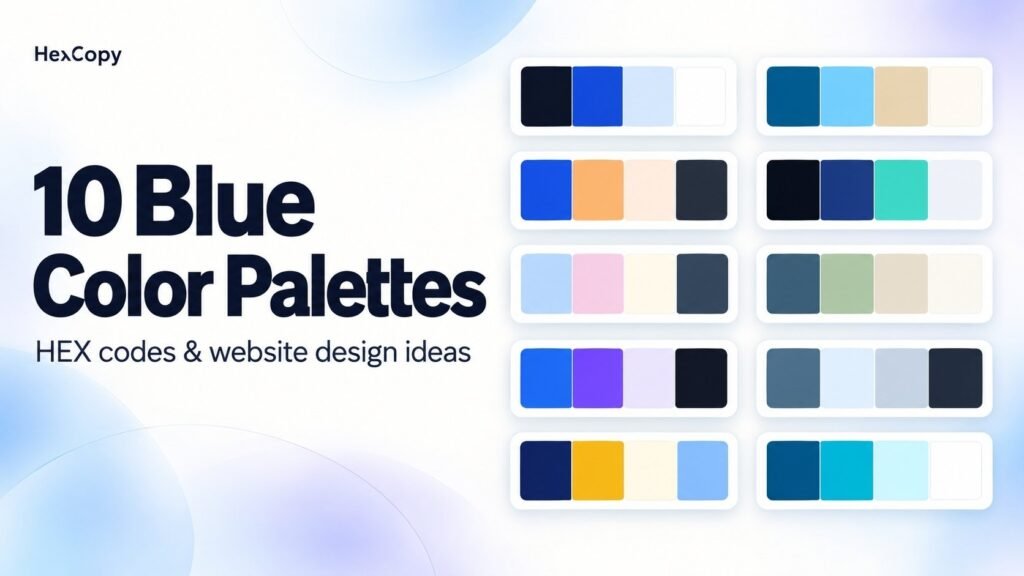
Blue color palettes can take a design in several directions. A deep navy can anchor a restrained layout, while a bright blue can highlight interactive elements. Softer blues can provide quieter backgrounds.
The result depends on the supporting colors and where you use them.
Below are ten blue color palettes with HEX codes and website design ideas. Each includes a suggested starting point for assigning roles, rather than a requirement to use every color equally.
1. Classic Navy and White
A neutral foundation with a brighter blue accent.
| Color | HEX code |
|---|---|
| Deep navy | #0F172A |
| Royal blue | #1D4ED8 |
| Pale blue | #DBEAFE |
| White | #FFFFFF |
Website idea: Use white for reading areas, navy for main text, and royal blue for selected actions. Pale blue can distinguish supporting information panels.
This is a starting direction for a service website or documentation layout.
2. Coastal Blue and Sand
Ocean-inspired blues paired with a warm neutral.
| Color | HEX code |
|---|---|
| Ocean blue | #0369A1 |
| Sky blue | #7DD3FC |
| Sand | #EAD8B1 |
| Warm white | #FFFBF5 |
Website idea: Try warm-white content areas with sand-colored destination cards. Use the blues for navigation details, illustrations, or selected highlights.
Add a sufficiently dark text color where needed, especially on lighter surfaces.
3. Cobalt and Apricot
A strong blue balanced by a warm accent.
| Color | HEX code |
|---|---|
| Cobalt | #1D4ED8 |
| Apricot | #FDBA74 |
| Pale peach | #FFF0E0 |
| Charcoal | #1F2937 |
Website idea: Use pale peach for the page background, charcoal for content, and cobalt for the primary accent. Apricot can support illustrations or small decorative elements.
Keep the warm accent selective so that important actions remain easy to identify.
4. Midnight Blue and Teal
A dark combination with cooler highlights.
| Color | HEX code |
|---|---|
| Midnight navy | #0B1220 |
| Deep blue | #1E3A8A |
| Teal | #2DD4BF |
| Off-white | #F1F5F9 |
Website idea: Try midnight navy for a portfolio background and off-white for main text. Teal can highlight links or small interactive details.
Check deep-blue surfaces carefully against the page background. Important boundaries may need additional definition.
5. Powder Blue and Blush
A softer combination for light layouts.
| Color | HEX code |
|---|---|
| Powder blue | #BFDBFE |
| Blush | #FBCFE8 |
| Cream | #FFFBEB |
| Dark slate | #334155 |
Website idea: Use cream as the base, dark slate for text, and the pastel colors for cards or illustrations.
This palette could support a stationery shop, illustrated blog, or invitation design. Test labels and buttons separately rather than using pale accents as small text.
6. Blue and Sage
A muted blue-green direction with an earthy neutral.
| Color | HEX code |
|---|---|
| Denim blue | #315B7D |
| Sage | #B8C7A3 |
| Oat | #E8DDC8 |
| Ivory | #FAF8F2 |
Website idea: Build an ivory product page with denim accents and sage or oat backgrounds for selected sections.
Try it alongside photographs of natural materials, then adjust the colors to suit the images.
7. Electric Blue and Violet
A vivid combination anchored by a dark neutral.
| Color | HEX code |
|---|---|
| Electric blue | #2563EB |
| Violet | #7C3AED |
| Light lavender | #EDE9FE |
| Ink | #111827 |
Website idea: Use light lavender for supporting surfaces and ink for text. Choose either blue or violet as the leading accent.
The other can appear in illustrations or a decorative gradient. Preview the blend with the HexCopy Gradient Generator.
8. Arctic Blue and Gray
A cool, restrained palette with several levels of brightness.
| Color | HEX code |
|---|---|
| Steel blue | #466A85 |
| Ice blue | #E0F2FE |
| Cool gray | #CBD5E1 |
| Graphite | #1E293B |
Website idea: Use graphite for text on ice-blue or light neutral surfaces. Steel blue can support navigation and selected controls.
Review gray details carefully. Decorative dividers and essential control boundaries do not necessarily need the same treatment.
9. Navy and Mustard
A dark blue foundation with a warm highlight.
| Color | HEX code |
|---|---|
| Navy | #172554 |
| Mustard | #EAB308 |
| Light cream | #FEFCE8 |
| Muted blue | #93C5FD |
Website idea: Try a navy header, cream content areas, and mustard accents for selected promotions.
For a mustard button, test a dark label before assuming white will be readable. Button text needs its own foreground/background check.
10. Blue Lagoon
A combination of blue, turquoise, and pale aqua.
| Color | HEX code |
|---|---|
| Deep blue | #075985 |
| Turquoise | #06B6D4 |
| Pale aqua | #CFFAFE |
| White | #FFFFFF |
Website idea: Use white for main reading areas, pale aqua for supporting cards, and deeper blue for selected headings or accents.
Turquoise can add detail to illustrations. Avoid placing it as small text on white without checking contrast.
How to Choose Between These Blue Palettes
Try each shortlisted palette on the same small layout. Include real text, one image, a card, and a primary action.
Compare:
- How the palette works with your existing logo.
- Whether the main action is recognisable.
- How much visual attention each accent attracts.
- Whether the text remains readable.
Use our website color palette guide to assign clear roles before styling the whole site.
Check Contrast Before Using the Colors
These collections are design starting points. They have not been presented as passing every possible contrast combination.
Test the exact pairs with the HexCopy Contrast Checker, including button labels, supporting text, and dark mode variations.
For examples with calculated results, see 10 Accessible Website Color Palettes with Tested Contrast Ratios.
Frequently Asked Questions
Which colors can I combine with blue?
The examples above pair blue with neutrals, warm accents, greens, pinks, and violets. Choose according to the design’s content and visual direction rather than a fixed rule.
Can I use more than one blue?
Yes. Give the shades separate roles and ensure important elements remain distinguishable.
Does blue automatically make a website look professional?
No. Typography, spacing, content, imagery, and consistency also shape the result.
Can I change these HEX codes?
Yes. Use the HexCopy Color Picker to explore variations, then retest any combinations you change.
Try a Blue Palette on Your Design
Choose one collection, assign its colors to specific roles, and test it with your content.
Keep the useful colors, adjust the ones that need better readability, and explore alternatives with the HexCopy Palette Generator.