

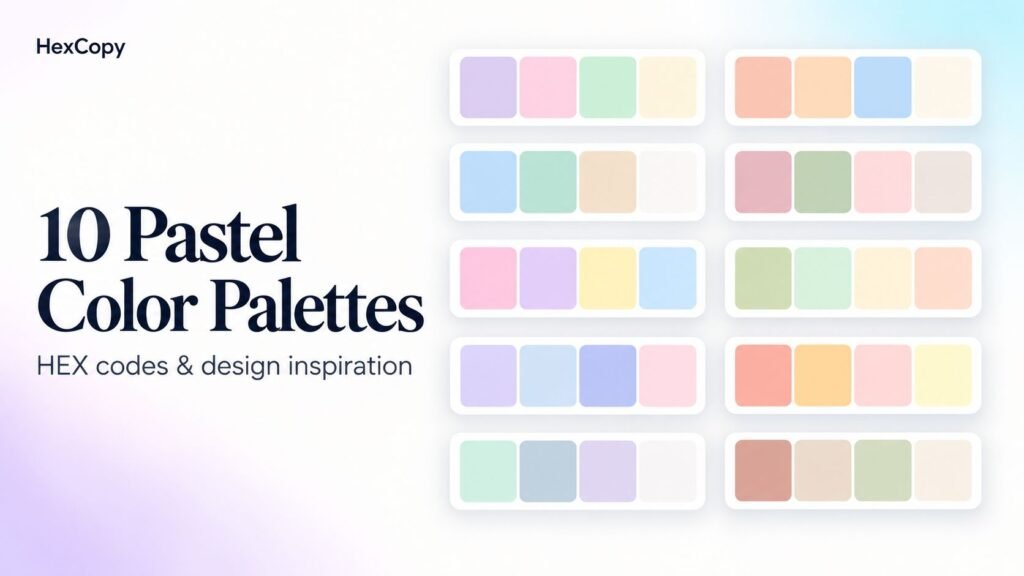
Pastel color palettes combine light, softened colors that can give a design a gentle visual character. They can work well in website backgrounds, packaging, invitations, and illustrations.
The challenge is maintaining enough definition. When every element is pale, text can become difficult to read and important buttons can disappear into the background.
Below are ten pastel color palettes with HEX codes and practical ideas for using them. The names are descriptive labels for these example combinations, rather than standardized color names.
1. Lavender Garden
A combination of lavender, soft pink, mint, and cream.
| Color | HEX code |
|---|---|
| Lavender | #D8C7F0 |
| Soft pink | #F3D1DC |
| Mint | #CDE8D5 |
| Cream | #FFF8E7 |
Design example: Use cream for a stationery shop’s page background, lavender for decorative panels, and pink and mint for product category accents.
Keep product names and descriptions in a darker supporting color.
2. Peach Morning
Warm peach and apricot balanced with pale blue.
| Color | HEX code |
|---|---|
| Peach | #FFD6BA |
| Apricot | #F8C8A8 |
| Pale blue | #CDE7F0 |
| Warm ivory | #FFF9F2 |
Design example: Try ivory behind a café menu, peach for featured sections, and pale blue for small illustrations or labels.
Use photographs and clear typography to give the page structure.
3. Coastal Calm
A light blue and seafoam combination with a sandy neutral.
| Color | HEX code |
|---|---|
| Powder blue | #C7DFF0 |
| Seafoam | #C9E8DF |
| Sand | #F0E2C6 |
| Cloud white | #F8FBFC |
Design example: Build a travel article layout with cloud-white reading areas, powder-blue information cards, and sand-colored destination details.
Keep the pastel surfaces behind content rather than using them for small text.
4. Rose and Sage
Muted pinks paired with a soft green.
| Color | HEX code |
|---|---|
| Dusty rose | #E8C2CA |
| Sage | #CCD8C0 |
| Pale blush | #F5E0E3 |
| Linen | #FAF4EA |
Design example: Use linen as the base for a florist website, blush behind service descriptions, and sage in botanical illustrations.
Introduce a darker accent for booking links and important actions.
5. Candy Studio
A playful mix of pink, lilac, yellow, and blue.
| Color | HEX code |
|---|---|
| Candy pink | #F7C8E0 |
| Lilac | #DCCBF4 |
| Butter yellow | #FFF0B5 |
| Baby blue | #C9E4FA |
Design example: Use these colors to distinguish sections in a children’s activity printable or an illustrated social media carousel.
Keep headings consistent so the changing backgrounds do not make the design feel disconnected.
6. Matcha and Cream
Soft greens with warm cream and peach.
| Color | HEX code |
|---|---|
| Light matcha | #D2DFC2 |
| Pale mint | #DDF0D6 |
| Vanilla | #FFF3D6 |
| Soft peach | #F5D6C6 |
Design example: Create a bakery landing page with vanilla backgrounds, green decorative details, and peach product cards.
Leave enough space around product images so the palette supports them.
7. Lilac Sky
Cool violet and blue tones with a subtle pink accent.
| Color | HEX code |
|---|---|
| Soft lilac | #DDD2F2 |
| Mist blue | #D3E5F5 |
| Pale periwinkle | #CDD5F4 |
| Petal pink | #F4DFEC |
Design example: Use the palette for a creative portfolio, with a pale background and different pastel accents for project categories.
A dark text color can provide a consistent anchor across the pages.
8. Sunset Sorbet
A warm combination inspired by peach, pink, and pale yellow.
| Color | HEX code |
|---|---|
| Soft coral | #F7C5BC |
| Pale mango | #FFE0AC |
| Strawberry cream | #F5CBD5 |
| Lemon cream | #FFF3C4 |
Design example: Try these colors in a summer event invitation, using one main background and the remaining colors for shapes and illustrations.
Avoid placing small pale text over another pastel.
9. Mint Notebook
A restrained mix of mint, blue-gray, and lavender.
| Color | HEX code |
|---|---|
| Pale mint | #D2EBDD |
| Blue-gray | #D5E1E8 |
| Light lavender | #E5DDF0 |
| Paper white | #FAFBF7 |
Design example: Use paper white for an educational blog’s reading area and the other colors for study tips, callout boxes, and downloadable resource previews.
Keep decorative colors separate from the main body text.
10. Soft Earth
Warm muted colors with sage and off-white.
| Color | HEX code |
|---|---|
| Pale terracotta | #EBC8B8 |
| Oat | #EDE0C8 |
| Light sage | #D4DDCA |
| Warm white | #FBF7EF |
Design example: Create a handmade product catalogue with warm-white backgrounds, oat-colored panels, and terracotta details.
Use sage selectively to introduce variation without adding another strong accent.
How to Use a Pastel Palette on a Website
These four-color sets are starting collections, rather than complete interface palettes.
Choose one background, one or two supporting colors, and a dark text color. A value such as #1E293B can be a starting point for text, but check it against each actual background.
For buttons, you may need a stronger shade than the colors in the original palette. Test the label against the button fill as a separate pair.
Read our website color palette guide for more help assigning these roles.
Test Readability Before Publishing
Pastel colors often work better as surfaces and accents than as small text.
Use the HexCopy Contrast Checker to evaluate your text and background combinations. Review captions, form labels, and buttons as well as headings.
For dark mode, build a suitable dark surface palette and reuse pastel accents where they remain useful. Check the combinations again instead of simply swapping the page background.
Frequently Asked Questions
Can pastel colors work on a business website?
Yes. Try them in backgrounds, illustrations, or supporting panels, with clear typography and readable text colors.
Do I need to use every color in a palette?
No. Start with the colors that have a clear purpose. A smaller selection may suit your layout better.
Can I use these HEX codes in design software?
Yes, in tools that accept HEX color values. If you need RGB or HSL values, use the HexCopy Color Converter.
Are these palettes guaranteed to meet accessibility requirements?
No. Accessibility depends on how you combine and apply the colors. Test the actual foreground and background pairs.
Find a Palette That Fits Your Content
Choose one combination and try it on a small layout with a heading, paragraph, image, and button.
Adjust the colors that need stronger contrast, then review the result on desktop and mobile. You can explore more combinations in the HexCopy palette collection or create alternatives with the Palette Generator.