

You have a HEX color code from a website or design file, but another tool asks for separate red, green, and blue values.
You do not need to choose a different color. Converting the code gives you the same color written in another format.
This guide shows how to convert HEX to RGB using HexCopy, explains the calculation, and provides examples you can check yourself.
Quick Answer: HEX to RGB
Split a six-digit HEX code into three pairs, then convert each pair from hexadecimal to decimal.
For example:
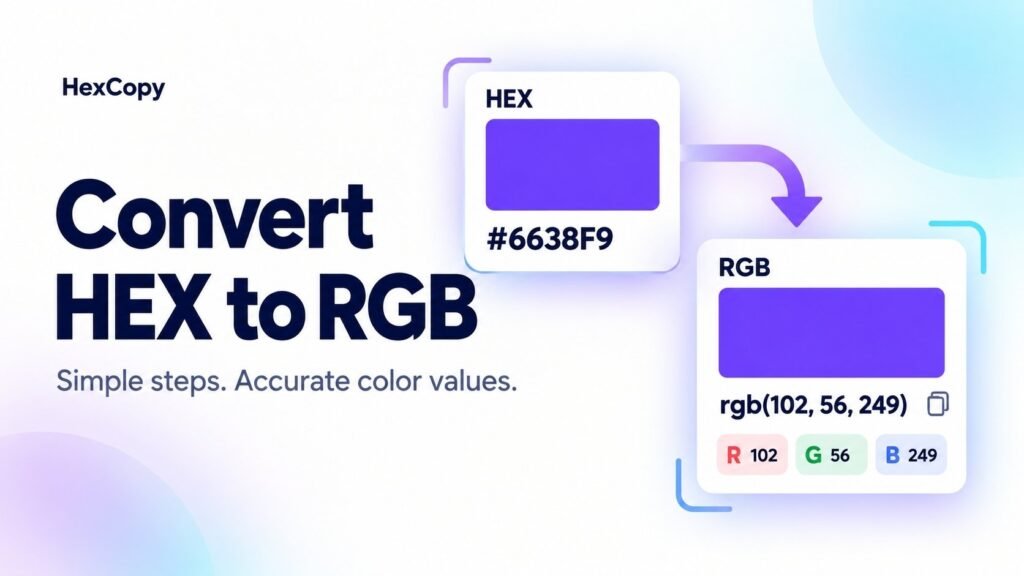
HEX: #6638F9
RGB: rgb(102, 56, 249)
The pairs represent red, green, and blue in that order.
| HEX pair | Channel | Decimal value |
|---|---|---|
66 | Red | 102 |
38 | Green | 56 |
F9 | Blue | 249 |
Convert HEX to RGB with HexCopy
For a quick conversion:
- Open the HexCopy Color Converter.
- Enter your six-digit value in the HEX field.
- Read the updated R, G, and B values.
- Select Copy RGB.
- Paste the result into your design tool or project notes.
If the destination has three separate input fields, enter the channel numbers individually.
For #6638F9, enter 102 in R, 56 in G, and 249 in B.
Check that you are entering values into RGB fields rather than HSL or CMYK fields.
Understand the HEX Format
A six-digit HEX color uses this structure:
#RRGGBB
Each pair ranges from 00 to FF, equivalent to decimal values from 0 to 255.
Hexadecimal uses sixteen symbols:
0 1 2 3 4 5 6 7 8 9 A B C D E F
The letters represent values from 10 to 15. Uppercase and lowercase letters describe the same color.
For a broader comparison of formats, read HEX vs RGB vs HSL.
How to Convert HEX to RGB Manually
For each two-character pair, use:
Decimal value = first digit × 16 + second digit
Replace letters with their numerical values before calculating.
Here is the full calculation for #6638F9:
Step 1: Calculate Red
The red pair is 66.
6 × 16 + 6 = 102
Step 2: Calculate Green
The green pair is 38.
3 × 16 + 8 = 56
Step 3: Calculate Blue
The blue pair is F9. Since F represents 15:
15 × 16 + 9 = 249
The result is:
rgb(102, 56, 249)
Another Worked Example: Orange
Convert #FF8000 by splitting it into FF, 80, and 00.
| Channel | Calculation | Result |
|---|---|---|
| Red | 15 × 16 + 15 | 255 |
| Green | 8 × 16 + 0 | 128 |
| Blue | 0 × 16 + 0 | 0 |
Therefore:
#FF8000 = rgb(255, 128, 0)
Working through a second example helps you check the process before applying it to unfamiliar codes.
HEX to RGB Conversion Table
Use these values as quick references:
| Color description | HEX | RGB |
|---|---|---|
| Black | #000000 | rgb(0, 0, 0) |
| White | #FFFFFF | rgb(255, 255, 255) |
| Red | #FF0000 | rgb(255, 0, 0) |
| Green | #00FF00 | rgb(0, 255, 0) |
| Blue | #0000FF | rgb(0, 0, 255) |
| Orange | #FF8000 | rgb(255, 128, 0) |
| Violet | #6638F9 | rgb(102, 56, 249) |
| Cyan teal | #08C0CB | rgb(8, 192, 203) |
| Muted rose | #C57B8A | rgb(197, 123, 138) |
How to Handle a Three-Digit HEX Code
A shorthand code repeats each character before conversion.
For example:
#3AF → #33AAFF → rgb(51, 170, 255)
Do not interpret the three individual characters as decimal channel values. Expand them into pairs first.
For a straightforward converter workflow, use the expanded six-digit value.
Using the RGB Result in CSS
These two declarations describe the same color:
.example-hex {
  color: #6638F9;
}

.example-rgb {
  color: rgb(102, 56, 249);
}
CSS also supports space-separated RGB notation:
.example {
  color: rgb(102 56 249);
}
For transparency, modern RGB syntax can include an alpha value:
.example {
  background-color: rgb(102 56 249 / 50%);
}
Here, 50% specifies half opacity. The visible result depends on the background beneath it.
What About Eight-Digit HEX Codes?
An eight-digit CSS HEX code uses #RRGGBBAA, where the final pair represents alpha.
For example, #6638F980 includes transparency. Converting only its first six characters gives you the RGB channels but drops that transparency information.
Preserve the alpha component when you need the same appearance. The manual walkthrough above covers opaque six-digit colors.
Common Mistakes to Avoid
Mixing Up Channel Order
Keep the order red, green, then blue.
Entering CSS Syntax into a Numbers-Only Field
A separate R input usually needs a number such as 102, rather than the entire rgb() expression.
Expecting Conversion to Fix Readability
Changing notation does not improve contrast. Use the HexCopy Contrast Checker to test the actual foreground and background pair.
Frequently Asked Questions
Does converting HEX to RGB change the color?
An exact conversion of an opaque six-digit HEX value preserves the color. It changes how the value is written.
Is RGB more accurate than HEX?
For equivalent sRGB values, neither notation is inherently more accurate. Use the format your workflow requires.
Why does my converted color look different in another application?
Check the entered values, opacity, surrounding background, and the application’s color-management settings. A visual difference does not necessarily mean the conversion was wrong.
Convert Your Own Color
Open the HexCopy Color Converter, enter a HEX value, and copy its RGB equivalent.
Keep both values in your project notes if you regularly move between tools that require different formats.